
Suno Brings Beat-Matched AI Video Generation to Music Creators
🚀 Key Takeaways
- Audio-Driven Video Synthesis: Visuals automatically converts tracks into short video clips featuring vocal lip-syncing and musical tempo synchronization.
- Flexible Visual Anchors: Creators can build scenes using text prompts, custom photo uploads, or built-in character presets to establish start or end frames.
- Underlying Video Architecture: The feature is powered by the H3 Move AI video engine, optimized with custom safety protections.
- Dedicated Currency: Video and artwork creation utilizes a separate Visuals credit system billed independently from standard song generation.
- Rigid Copyright Guardrails: Pre-screened filters and digital watermarking block public figure likenesses, protected IP, and unauthorized visual references.
- Multimedia Expansion: The launch broadens Suno's ecosystem from pure audio generation into an integrated, cross-platform multimedia production suite.
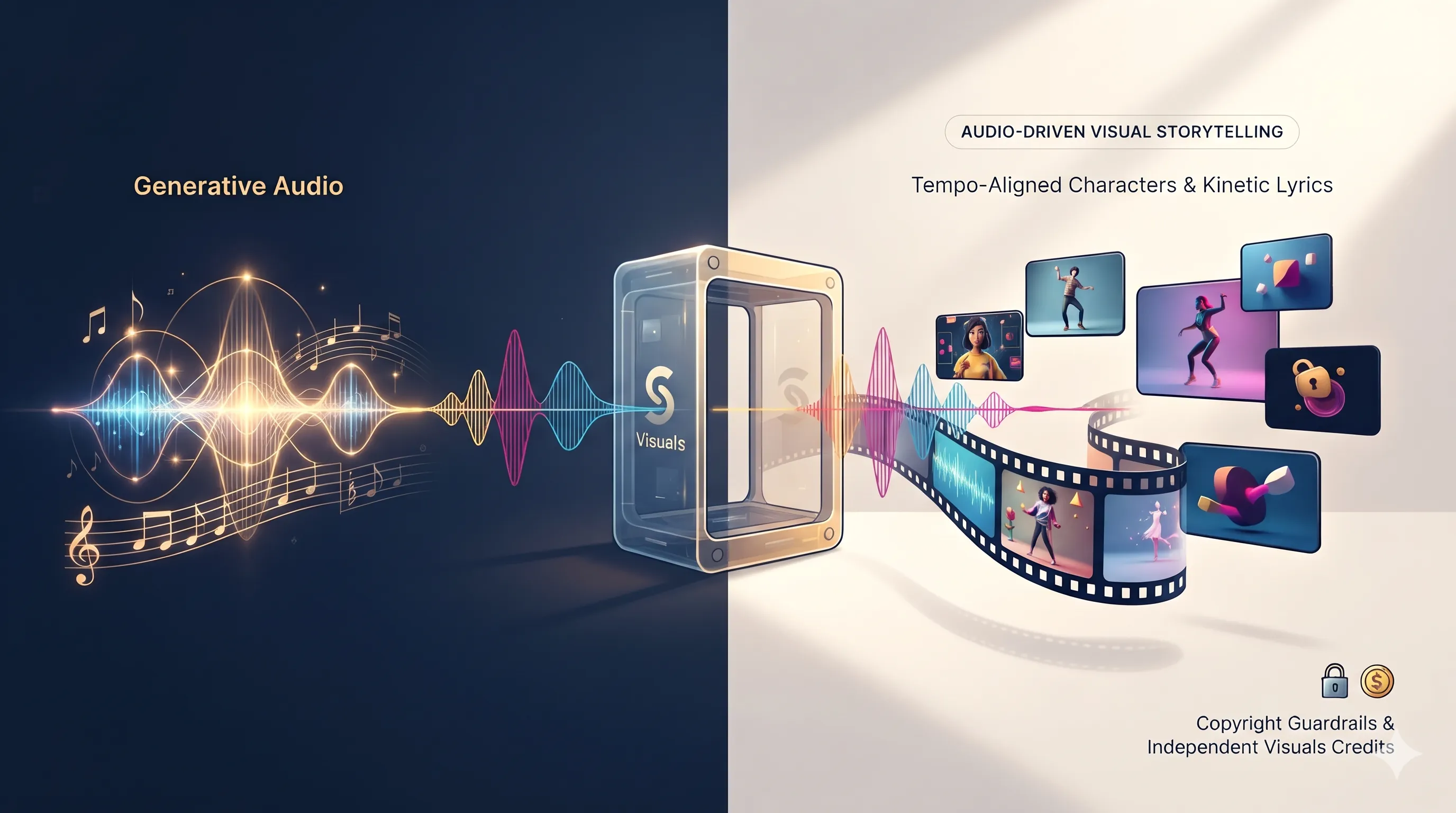
Generative audio pioneer Suno has officially expanded beyond soundwaves into dynamic visual storytelling. With the rollout of its Visuals toolset, creators can now generate customized, tempo-aligned video clips directly paired with their synthesized tracks, complete with characters that automatically match lyrical phrasing.
The addition arrives at a pivotal moment in the company's evolution. Following recent introductions of spoken audio generation and licensed training agreements, bridging music directly with video production positions the platform as a comprehensive creative engine. Users no longer need to rely on external video editors to pair audio tracks with engaging visuals for social feeds or album artwork.
However, broadening into video brings renewed scrutiny regarding copyright compliance and creative ownership. By pairing video generation with tailored moderation filters and an independent credit model, Suno is navigating both technical hurdles and industry pressures while redefining how musicians conceptualize their digital output.
1. Audio-Visual Synchronization: How Suno Generates Beat-Matched Clips and Lyric Videos
At the center of how Suno's new Visuals tool creates AI videos from music lies an audio-driven synthesis engine designed to interpret musical composition directly.Rather than treating audio as an afterthought or an uncoupled background track, Visuals anchors the video creation pipeline directly to the cadence, vocal lines, and tempo of user-created tracks.
Officially launched on November 17, 2026, the tool expands the platform's generative remit beyond pure audio production, enabling creators to transform existing Suno songs into AI-generated video clips.
Automated Vocal Lip-Syncing and Beat-Matched Motion
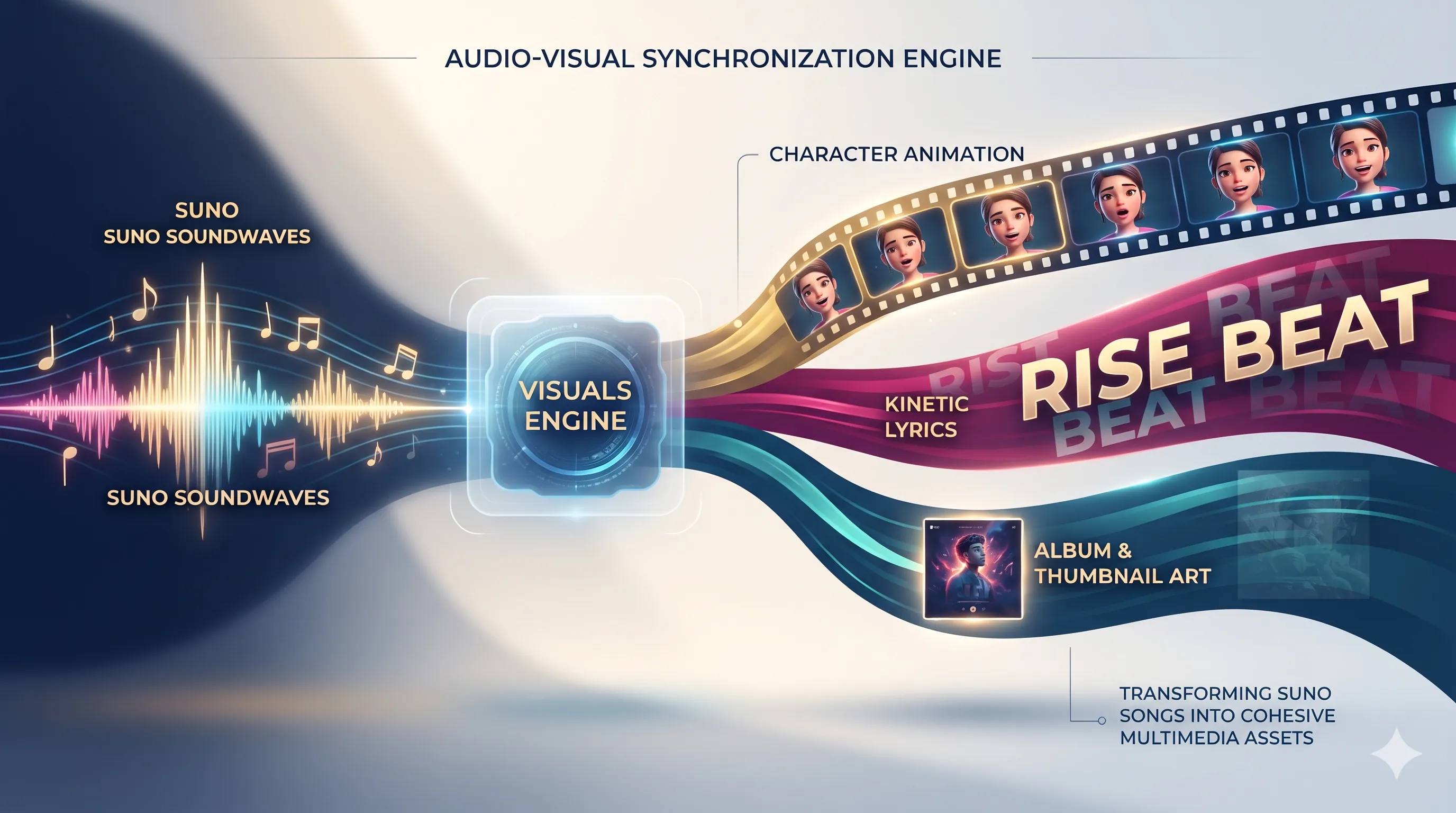
The core technical accomplishment of the Visuals architecture rests on its ability to coordinate movement with acoustic parameters.When processing a track, the system generates video clips up to a maximum duration of 15 seconds.
Throughout these short-form clips, the underlying model ensures that visual pacing is bound to acoustic events, meaning video clips synchronize with the underlying song's beat and musical structure.
Dynamic changes in the song guide the motion paths and transitions of rendered elements, aligning rhythmic spikes with visual motion.
Beyond instrumentation and tempo alignment, the system addresses one of the most persistent hurdles in generative video: phonetic coherence.
Visuals automatically lip-syncs generated video characters to song vocals and lyrics.
As the synthetic audio vocalizes phrases, on-screen characters adjust mouth shapes, facial muscles, and expressions to match the linguistic timing of the performance.
Jack Brody, Chief Product Officer at Suno, detailed this unified behavioral pipeline, noting: "Video clips follow your song’s structure, pick up on your lyrics and lip sync right along with them."
This tight coupling ensures that character performance does not drift from the vocal delivery across the rendered sequence.
Synchronized Lyric Videos and Prompt-Generated Artwork
In addition to character-driven cinematic sequences, Visuals incorporates dedicated typography and still-imagery pipelines tailored for full-track packaging.The tool creates animated lyric videos that move in time with the track, presenting text animations that trigger and pulse in cadence with the vocal delivery and rhythm.
This feature provides automated kinetic typography for artists who want readable, rhythmic text elements overlaid across visual backgrounds without manually keyframing each word.
Complementing animated video generation, Visuals also produces companion visual branding directly from text instructions.
The tool generates images via descriptive prompts for thumbnails and album artwork.
Users can establish visual continuity between their cover art, video thumbnails, and moving clips using unified prompt descriptions.
| Feature / Component | Output Format & Scope | Primary Synchronization Mechanism |
|---|---|---|
| Short-Form Video Clips | Video clips up to a maximum duration of 15 seconds | Synchronizes with the underlying song's beat and musical structure |
| Character Animation | AI-generated character video sequences | Automatically lip-syncs generated characters to song vocals and lyrics |
| Kinetic Typography | Animated lyric videos | Moves and pulses in time with the track |
| Static Visual Assets | Thumbnails and album artwork | Generated via descriptive prompts to accompany audio tracks |
2. User Interface and Video Workflow: Building Sequences from Presets and Timelines
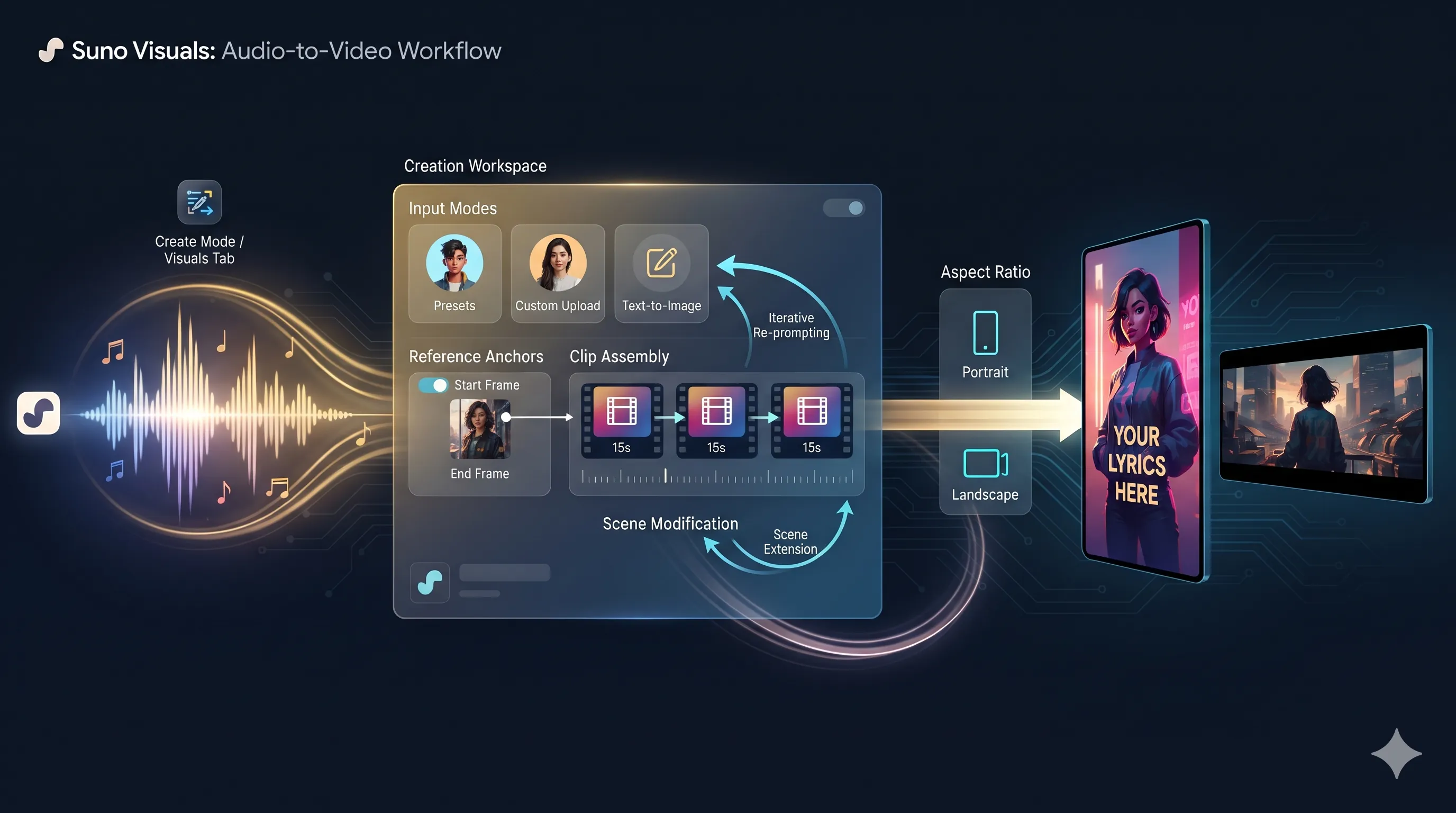
To understand how Suno's new Visuals tool creates AI videos from music, creators must first examine the operational mechanics of its creation workspace and sequencing timeline.The interface bridges audio generation with synchronized visual production, allowing users to map generative scenes directly against specific segments of their music catalog.
Accessing the workflow begins either through a dedicated "Visuals" tab situated inside Create mode or directly via web browsers using the three-dot action menu available on any existing library track.
While desktop and mobile user interfaces differ slightly in layout to accommodate smaller viewports, both pathways connect directly to the underlying clip assembly pipeline.
Creators drag an audio track from their library into the workspace and pinpoint a specific section of the song to serve as the structural foundation for the generation run.
Input Modes: Presets, Custom Uploads, and Text-to-Image
The generation pipeline relies heavily on defining an initial visual anchor before rendering dynamic motion.Suno Visuals accommodates this through three distinct initial reference image options: selecting from pre-configured Suno character presets, uploading personal user photos, or generating brand-new reference imagery directly via text prompts.
Once an asset is loaded, the interface provides framing controls that govern how the reference image anchors the generated output.
Users can explicitly assign the chosen reference image as either the start frame or the end frame of a clip.
Positioning the asset as a start frame prompts the visual model to interpolate motion forward into the chosen audio segment, whereas assigning it as an end frame establishes a visual target toward which the sequence evolves.
Timeline Construction, Scene Extensions, and Aspect Ratio Settings
Long-form composition occurs within a dedicated multi-clip video timeline.The engine operates around modular 15-second clips, which creators can arrange, sequence, and assemble into extended visual narratives.
To build beyond a single clip, the timeline supports scene extensions and iterative modifications through text re-prompting, allowing creators to shift styles, introduce camera adjustments, or advance thematic elements seamlessly across consecutive cuts.
Output framing is governed by integrated aspect ratio adjustments, enabling creators to switch between portrait orientations for mobile playback and landscape orientations for standard video displays.
Furthermore, the timeline workspace incorporates direct typography tools, letting users apply customizable lyric text overlays directly across the running video project.
| Workflow Component | Configuration Options | Functional Behavior |
|---|---|---|
| Access Points | Visuals tab (Create mode) or track three-dot context menu | Initiates the project workspace; layout differs slightly between desktop and mobile environments. |
| Initial Reference Modes | Suno character presets, user photo uploads, or prompt-generated images | Provides the 3 foundational image sources used to establish scene aesthetics. |
| Frame Placement Rules | Start frame or end frame anchoring | Locks the chosen reference image to the beginning or conclusion of a clip to guide motion synthesis. |
| Timeline Sequence Assembly | Modular 15-second clip chaining | Combines multiple short scenes along a unified track-synced timeline to form continuous videos. |
| Scene Modification | Text re-prompting | Enables extending, editing, and transforming sequential scenes directly inside the timeline. |
| Visual Output Controls | Portrait and landscape aspect ratios; lyric text overlays | Formats dimension specifications for target displays and adds customizable on-screen lyrics. |
3. Underlying AI Architecture: Powering Visuals with H3 Move Across Platforms
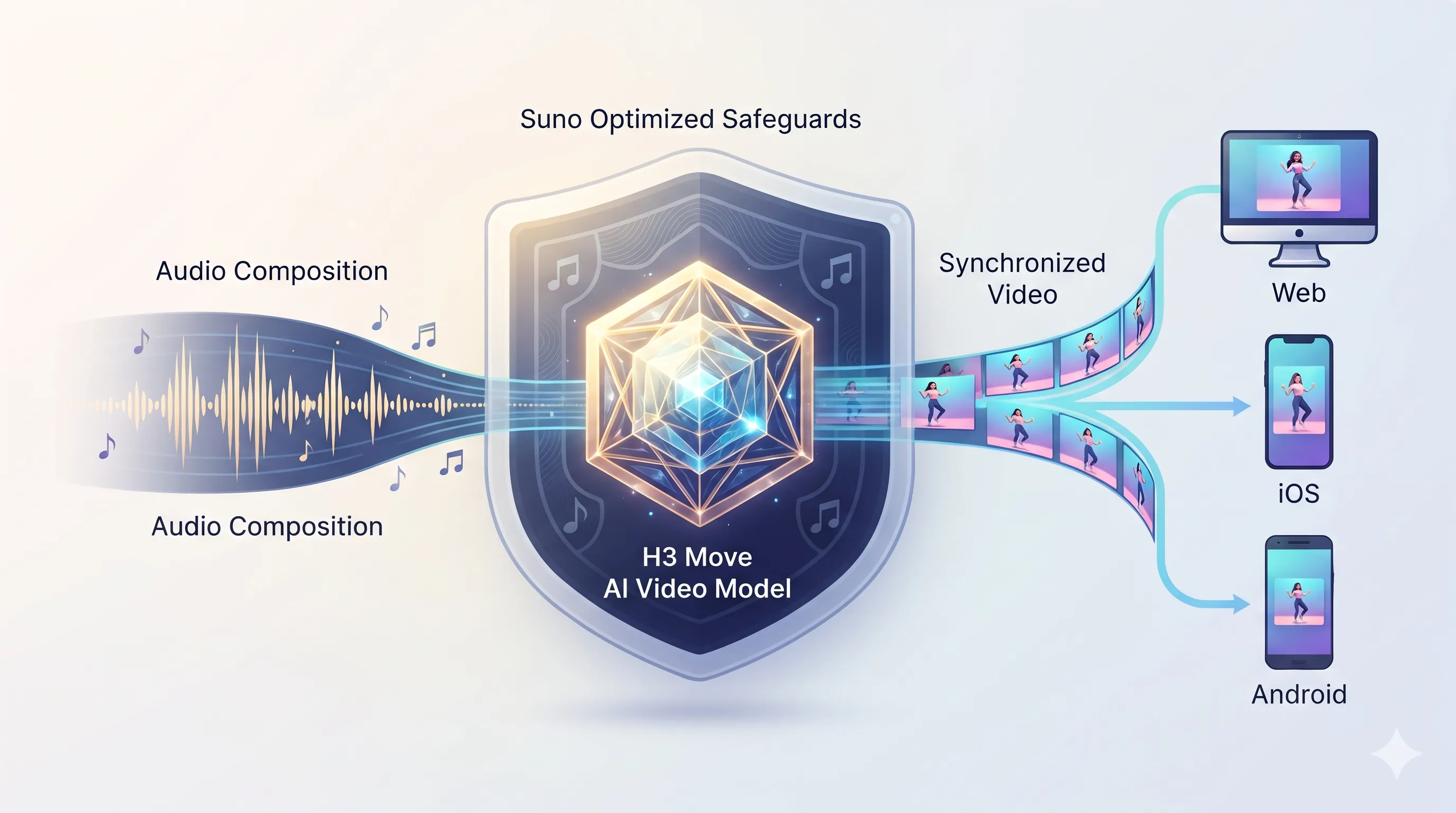
Understanding how Suno's new Visuals tool creates AI videos from music requires an evaluation of the core video synthesis model and its cross-platform technical footprint.The tool relies on specialized generative video infrastructure to bridge user audio compositions with synchronized visual outputs.
The MiniMax H3 Foundation and H3 Move Optimization
The core generative visual pipeline of Visuals is powered by the H3 Move AI video model.This underlying model was developed based on H3 technology from MiniMax.
To integrate the model into a creative music ecosystem, Suno applied custom engineering to adapt the base architecture.
Specifically, Suno stated that the underlying AI model has been "optimized for our community including adding additional protections and safeguards."
These system-level protections and safeguards ensure that music-driven video creation operates reliably within community standards.
Cross-Platform Deployment on Web, iOS, and Android
Accessibility across user workflows is fundamental to how Visuals transforms music into video media.The tool was designated for support across web, iOS, and Android platforms at launch.
Regarding mobile distribution, The Next Web reported that iOS and Android apps were slated to roll out in subsequent weeks following the launch.
This multi-environment deployment ensures visual generation workflows remain accessible across both desktop browsers and mobile operating systems.
4. Pricing and Credit Structure: The Economics of Suno Visuals
Understanding how Suno's new Visuals tool creates AI videos from music requires looking closely at the commercial architecture powering the generation pipeline.While audio synthesis and video rendering function together within the platform experience, Suno maintains a strict separation in how these computational resources are metered and billed.
Visuals Credits vs. Standard Music Credits
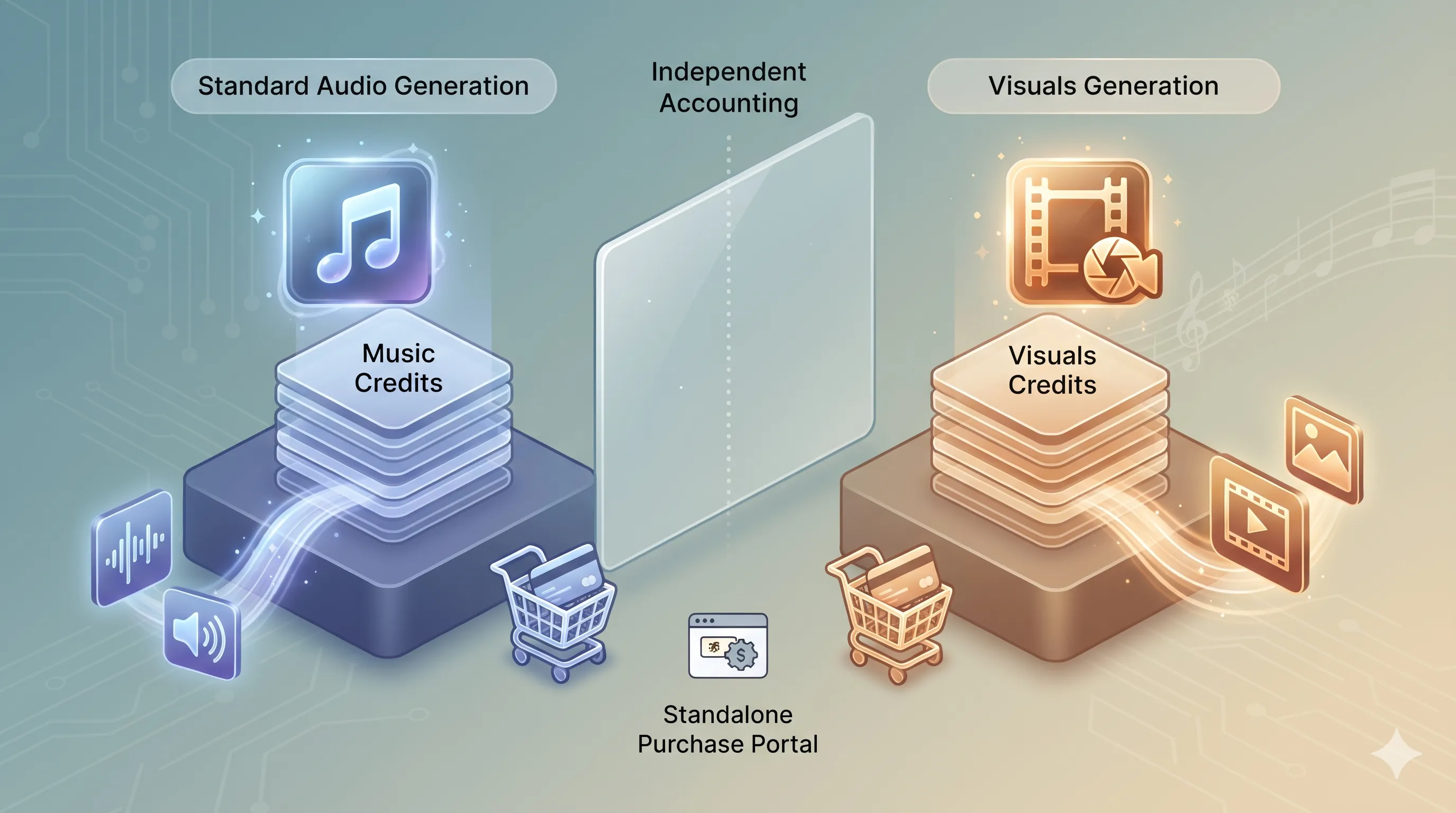
Generating visual companions for generated tracks does not draw from a creator's existing audio balance.Instead, the rendering system operates on a distinct currency called Visuals credits.
These Visuals credits are sold and billed separately from Suno's standard music generation credits.
Because audio generation and visual production run on independent accounting tracks, users cannot redirect or spend standard music creation balances toward generating video sequences or accompanying still assets.
Dedicated Billing Pages and Generation Cost Overheads
To support this bifurcated structure, Suno isolates the commercial management of the tool into a dedicated portal.Visuals credits are purchased via a separate pricing page hosted at suno.com/pricing/visuals.
This setup introduces an added computational layer to media workflows, meaning that generating videos and images incurs an extra expense above standard music generation costs.
Creators producing synced visuals alongside their tracks must therefore account for standalone visual procurement costs independently from their routine music synthesis overhead.
5. Copyright Safeguards and Content Moderation: Filtering and Watermarking Rules
Understanding defensive moderation is vital when analyzing how Suno's new Visuals tool creates AI videos from music, as the generation engine operates within strict boundaries designed to prevent copyright infringement and unauthorized likeness synthesis.To ensure user-generated audio and accompanying visual streams remain compliant with intellectual property laws, Suno deploys a layered verification and filtering framework before and during the generation lifecycle.
Likeness Blocking, Prompt Restrictions, and Third-Party Audio Scanning
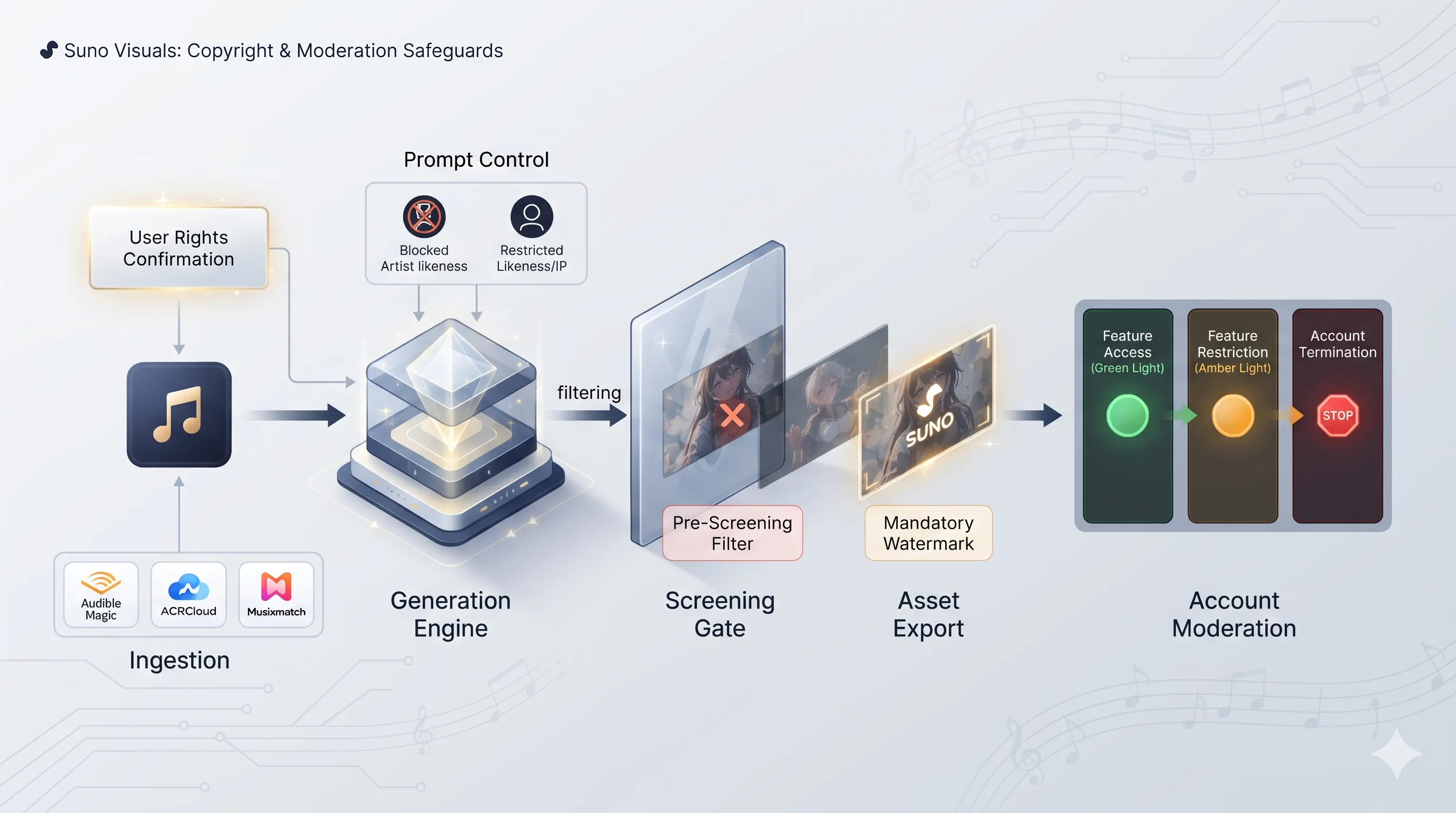
Suno implements dedicated text and visual filters designed to block the likenesses of specific artists, public figures, copyrighted characters, and protected intellectual property.Because of these defensive filters, text inputs that function normally on unconstrained third-party video generation platforms are intentionally restricted on Suno.
Regarding these restrictions, Suno stated: "This means that prompts that work on other video platforms may not work on Suno and that’s by design."
When users upload audio to generate music or visuals, the platform enforces compliance at the ingestion layer.
On the first upload attempt, Suno presents an in-platform disclaimer requiring users to explicitly confirm ownership and rights to their files.
To detect unauthorized copyrighted audio uploads, Suno partners directly with Audible Magic, ACRCloud, and Musixmatch to perform scanning and block non-compliant media.
Pre-Screening Filters, Mandatory Watermarks, and Account Penalties
The safeguards extend downstream into the rendering and export pipeline of the Visuals feature.Before any generated visual content is displayed to the user, Suno pre-screens the output against Community Guidelines using a combination of internal filters and third-party tools.
Once rendered, Suno applies mandatory embedded watermarks to generated Visuals before they can be exported or shared off-platform.
Non-compliance with these operational rules triggers an escalating system of moderation penalties.
Accounts that violate Community Guidelines or copyright policies face measures ranging from content deletion and feature restriction to full account termination.
| Safeguard Stage | Operational Mechanism | Enforcement Action |
|---|---|---|
| Audio Upload Ingestion | Audible Magic, ACRCloud, and Musixmatch scanning partners; in-platform rights confirmation disclaimer | Blocks unauthorized copyrighted audio uploads |
| Prompt and Likeness Control | Text and visual filters targeting public figures, artists, characters, and protected intellectual property | Filters and rejects prompts that reference protected identities |
| Visual Output Screening | Internal pre-screening filters and third-party Community Guidelines inspection tools | Blocks non-compliant frames before displaying results to the user |
| Asset Export | Mandatory watermarking engine | Embeds watermarks before visuals can be exported or shared off-platform |
| Account Moderation | Policy enforcement monitoring | Applies content deletion, feature restrictions, or full account termination |
6. Platform Expansion and Community Reception: Multimedia Strategy Amid Legal Pressures
The release of Visuals—Suno's dedicated tool for generating synchronized AI videos directly from music tracks—marks a pivotal milestone in the company's evolution from a single-purpose music synthesis engine into a comprehensive creative multimedia platform.To understand how Visuals fits into the broader generative ecosystem, the feature must be viewed alongside Suno's aggressive 2026 development roadmap, its shifting copyright relationships, and the community debates surrounding its product roadmap.
Suno's Multimedia Expansion Beyond Music Generation
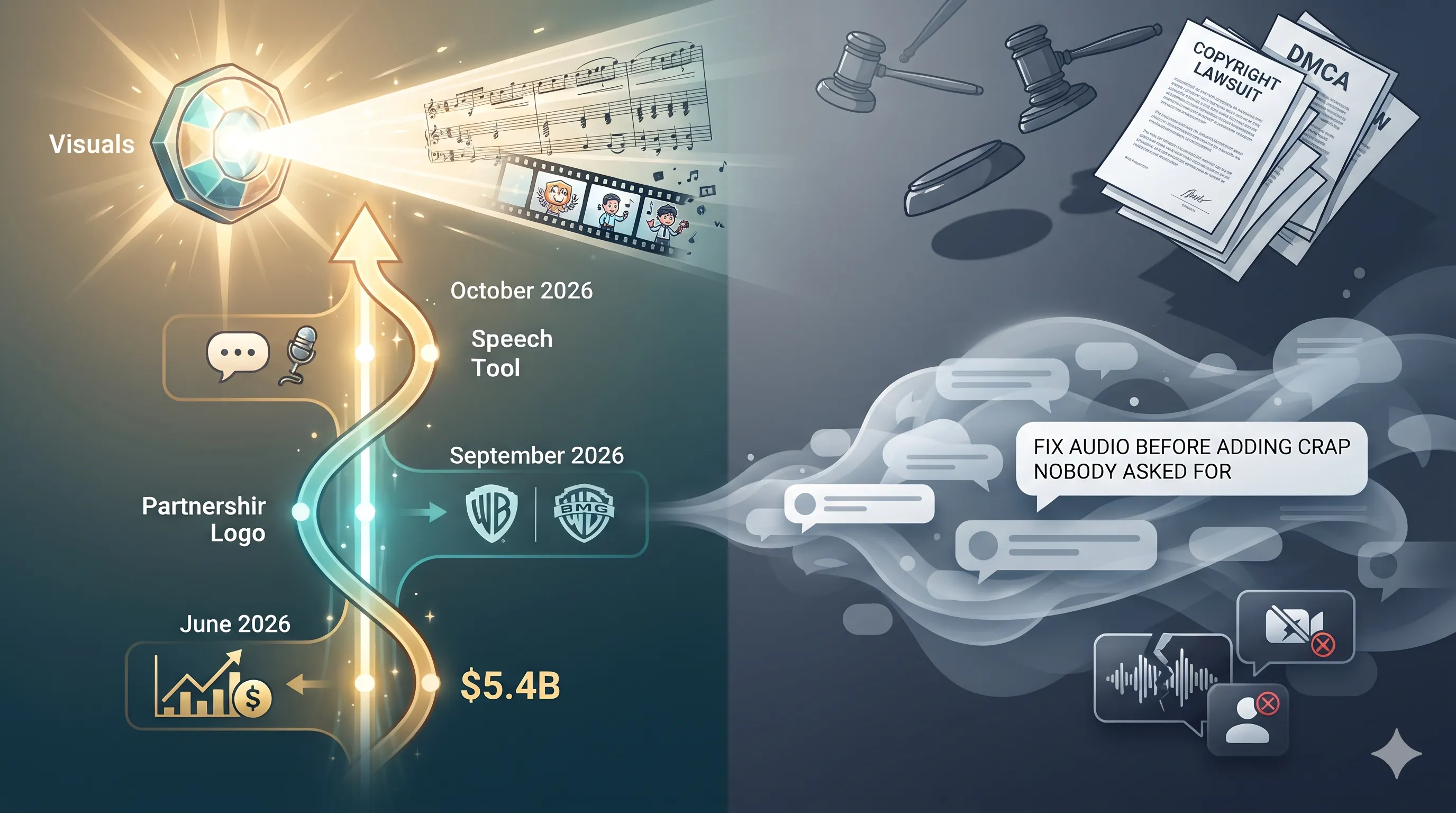
Throughout 2026, Suno progressively diversified its technical scope beyond basic song creation, executing an ambitious operational transformation.In June 2026, investors placed a $5.4B valuation on the company, providing substantial financial backing for rapid infrastructure development.
Addressing longstanding industry tensions over model training sources, Suno introduced new music models in September 2026 trained directly on licensed content secured through formal partnerships with Warner and BMG.
Broadening its audio modalities further, Suno rolled out its dedicated Speech tool in October 2026, enabling users to generate spoken audio, voiceovers, poems, and guided meditations.
The subsequent debut of Visuals extends this pipeline into synthetic video creation, transforming audio clips into complete audiovisual assets.
| Date | Milestone / Initiative | Scope and Strategic Impact |
|---|---|---|
| June 2026 | Investor Valuation | Valued by investors at $5.4B. |
| September 2026 | Licensed Model Release | Introduced music models trained on licensed content from Warner and BMG. |
| October 2026 | Speech Tool Rollout | Added generation capabilities for spoken audio, voiceovers, poems, and meditations. |
Ongoing Copyright Litigation and Community Backlash Over Audio Fidelity
Despite securing training arrangements with Warner and BMG, Visuals entered the market under the shadow of active legal disputes.Suno continues to face ongoing legal actions regarding past model training and output generation, including high-profile copyright and voice-misuse lawsuits brought forward by Eminem's publisher and the estate holders of Elvis Presley.
These disputes highlight the persistent legal hurdles facing AI platforms as they scale up multimedia distribution pipelines.
In parallel with legal pushback, the launch of Visuals revealed significant friction within the existing user base.
A vocal segment of the creator community expressed sharp criticism toward the pivot into video synthesis, arguing that the engineering team should prioritize addressing core audio quality improvements over supplementary video additions.
This sentiment was captured bluntly in user feedback across platform channels, including a prominent comment left on the Visuals launch video: "FIX AUDIO BEFORE ADDING CRAP NOBODY ASKED FOR".
The divide emphasizes the operational balance Suno must navigate between expanding into a full-scale multimedia suite and resolving the baseline audio fidelity requested by its original music production community.
Related Posts

Generative AI may have assisted with research or drafting for this article. Topic selection, fact-checking, final wording, and publication remain the responsibility of DragonStone74. AI use disclosure